The ultimate dual-mode invoicing solution that works offline and online. Designed for contractors, salespersons, business owners, and security personnel. Create professional invoices anywhere, anytime.
Work anywhere with or without internet connection. Your data is saved locally and syncs when you're back online.
Create branded, professional invoices with your logo. Export to PDF or print directly from the system.
Work with clients worldwide. Supports GHS, USD, EUR, GBP, and more with automatic currency symbols.
Track all payments, partial or full. Monitor balances, payment methods, and generate payment reports.
Quickly find invoices by number, client, or date. Maintain complete history with easy access to past invoices.
Your data stays on your device. No cloud storage required unless you choose to back up online.
Get started with the Armstrong Invoice System today. Complete setup takes less than 2 minutes.
Use directly in your browser with automatic updates and no installation required.
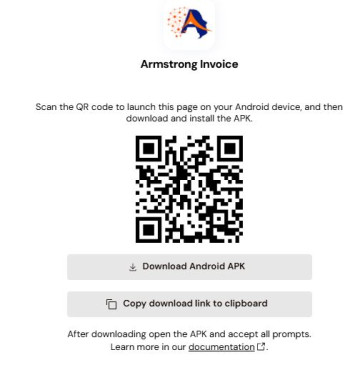
Download and use without internet connection. Perfect for remote locations.
Watch our comprehensive video tutorial to learn how to install and use the Armstrong Invoice System in just 10 minutes.
Learn step-by-step how to install, configure, and start using the system
Duration: 12:45 | 2,458 views
Click the download button above to get the Armstrong Invoice System ZIP file.
Extract the ZIP file to any folder on your computer (Desktop recommended).
Double-click the index.html file to open it in your web browser.
The system is ready to use! No installation or registration required.
Track our development progress and download previous versions.
Initial public release with all core invoicing features, PDF generation, local data storage, and multi-currency support. Includes complete offline functionality and professional invoice templates.
Beta testing version with improved UI, bug fixes, and additional features based on user feedback. Enhanced mobile responsiveness and better export options.
First alpha release with basic invoicing functionality and core features. Limited to basic invoice creation and local storage.
Subscribe to get notified about new versions and updates.
Find answers to common questions about the Armstrong Invoice System.
Yes! The Armstrong Invoice System is designed to work completely offline. All data is stored locally in your browser's storage. You can create, edit, and manage invoices without any internet connection. When you do have internet, you can choose to back up your data.
Installation is simple and takes less than 2 minutes:
index.html file in your web browserThat's it! The system will work completely offline from that location. No complex installation or registration required.
Absolutely. Your data stays on your device. We don't store any of your invoice or client data on our servers (unless you explicitly choose to use cloud backup in online mode). The offline version stores everything locally in your browser's storage with encryption.
Currently, each device maintains its own local data. However, you can export your data from one device and import it on another using the built-in export/import feature. This creates a backup file that you can transfer between devices.
Clearing your browser cache will delete locally stored data. That's why we recommend regularly exporting your data for backup. The system has an export feature that creates a backup file you can save on your computer or cloud storage.
The Armstrong Invoice System is completely free for personal and commercial use. We believe in empowering businesses with quality tools. If you find it useful, we welcome donations to support further development.
Hear from professionals who use Armstrong Invoice System daily.
"As a freelance photographer, I often work in remote locations. This system lets me create and send professional invoices right after a shoot, even with no internet. It's transformed my billing process!"
"Our small construction company was using paper invoices that often got lost. Now we have digital records, automatic calculations, and professional-looking invoices. Clients take us more seriously."
"The dual-mode capability is perfect for our sales team. They can create quotes during client meetings and sync everything when they're back in the office. It's boosted our efficiency by 40%."
The Armstrong Invoice System is free for everyone. Your donations help us maintain, improve, and add new features to the system. Every contribution, no matter how small, makes a difference in keeping this tool free and accessible.
Scan with your mobile banking app to donate any amount. Quick and easy!
Scan to donate any amount
Donate via FlutterWave with secure online payment. Supports credit cards, mobile money, and bank transfers.